Glitter Flowers: Seamless Patterns for Creative Projects
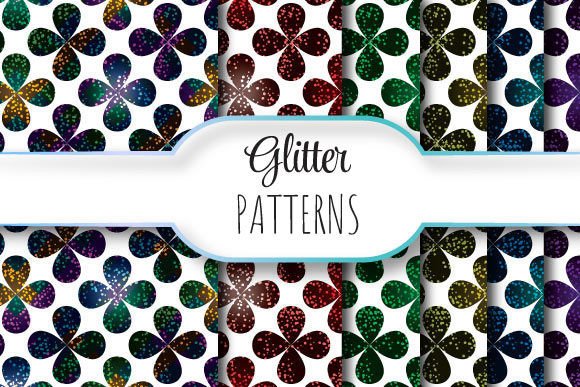
Glitter Flowers is a versatile design resource built around elegant, shimmering floral motifs that repeat flawlessly across any surface. Think of it as a ready-to-use background or texture—crafted so the edges blend invisibly, whether you’re tiling it across a greeting card, wrapping paper, website banner, or fabric print. No awkward seams, no visible breaks—just smooth, sparkling continuity.
What Makes These Patterns So Practical?
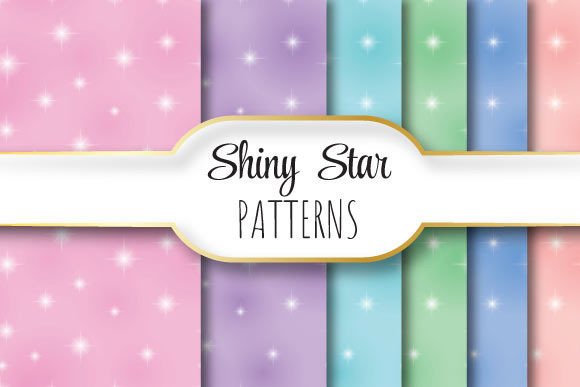
Each Glitter Flowers pattern is delivered at true print-ready resolution: 12 x 12 inches (3600 x 3600 pixels) at 300 dpi. That means crisp detail whether you’re printing large-format posters or scaling down for social media thumbnails. The collection includes one editable EPS 10 file—ideal for designers who need vector flexibility—and six high-res JPEGs for quick drag-and-drop use in Canva, Photoshop, PowerPoint, or even email templates.
The seamless repetition isn’t just convenient—it’s intentional. Unlike static images that show obvious tile boundaries, these patterns behave like wallpaper: copy, paste, and align without second-guessing where the “join” falls. That saves time, reduces errors, and keeps your final output looking polished—even if you’re new to design tools.
Who Benefits Most from Glitter Flowers?
A wide range of people find real value here—not just graphic designers. Teachers use them to liven up classroom handouts or digital lesson slides. Small business owners apply them to product labels, packaging mockups, or Instagram story backgrounds. Bloggers and content creators add subtle sparkle to newsletter headers or printable planners. Even hobbyists enjoy using them for scrapbooking, DIY invitations, or custom phone case designs.
If you’ve ever spent minutes (or longer) trying to manually align glitter textures—or given up entirely because the result looked patchy—you’ll appreciate how Glitter Flowers removes that friction. It’s not about replacing skill; it’s about supporting intention. You focus on your message, your brand, or your craft—the pattern handles the shine.
Real-World Uses You Can Try Today
- Print-on-demand products: Apply the seamless pattern to mugs, tote bags, or notebooks via platforms like Printful or Redbubble—no extra editing needed.
- Digital marketing assets: Use the JPEGs as textured backgrounds for Facebook ads, Pinterest pins, or email banners that stand out without overwhelming text.
- Wedding and event design: Layer Glitter Flowers subtly behind names or dates on save-the-date cards, menus, or signage for a touch of celebration-ready elegance.
- Educational materials: Add visual interest to worksheets or presentation slides—especially helpful when engaging younger learners or making dry topics feel more inviting.
- Social media branding: Create consistent, shimmering story highlights or profile cover graphics that reflect personality without sacrificing professionalism.
Why Resolution and Format Matter More Than You Might Think
That 3600 x 3600 pixel size isn’t arbitrary. At 300 dpi, it ensures sharpness when printed full-size on letter or A4 paper—or even larger formats like posters or wall decals. Lower-resolution files often blur, pixelate, or lose glitter definition when scaled. With Glitter Flowers, what you see on screen translates faithfully to print.
The EPS 10 file gives professionals room to tweak colors, isolate elements, or adjust spacing—all while preserving vector quality. For beginners, the JPEGs offer instant usability: open, place, and go. And because everything lives in one ZIP file, there’s no hunting through folders or mismatched versions. Everything you need is organized, named clearly, and ready when inspiration strikes.
Things to Keep in Mind Before You Start
While Glitter Flowers is designed for ease, a few practical notes help you get the best results:
- Color mode matters: The JPEGs are RGB—perfect for screens—but if you're sending files to a commercial printer, check whether they require CMYK. You can convert the EPS easily in Illustrator, but the JPEGs may need adjustment for accurate color reproduction.
- Layering works best with contrast: Glitter effects pop most when placed over solid or lightly textured backgrounds—not busy photos or clashing patterns. Try testing opacity or blending modes (like Overlay or Soft Light) in your editor to fine-tune intensity.
- Not all glitter is equal: This collection uses refined, balanced shimmer—not harsh metallic overload. It adds sophistication rather than distraction, which helps maintain readability and visual hierarchy in layouts.
- Check licensing terms: These files are intended for personal and commercial use, including client work—but always verify permitted applications (e.g., resale in editable templates may have limits).
Getting Started Is Simpler Than You Expect
You don’t need advanced software to begin. Open a JPEG in Canva, upload it as a background, and start adding text or icons. In Photoshop, drag it into a new document and use Free Transform (Ctrl+T / Cmd+T) to scale or rotate without losing quality. In Illustrator, open the EPS and ungroup elements to recolor petals or rearrange stems—keeping the seamless tile intact.
Even if you've never worked with vectors before, the structure is intuitive. The EPS preserves layers logically: glitter base, flower outlines, highlight overlays—so experimenting feels safe, not intimidating.
A Thoughtful Tool, Not Just a Trend
Glitter Flowers stands apart because it balances beauty with utility. It doesn’t shout—it enhances. Whether you're designing a boutique logo, prepping a student project, or launching an Etsy shop, the underlying goal remains the same: make your work feel intentional, elevated, and authentically *you*. The glitter isn’t the focus—it’s the quiet confidence behind your choices.
And because each pattern repeats seamlessly, you’re never limited by canvas size. Stretch it across a 24-inch banner or shrink it into a 2-inch button icon—the rhythm stays clean, the sparkle stays consistent, and your creative flow stays uninterrupted.